Tone Curve
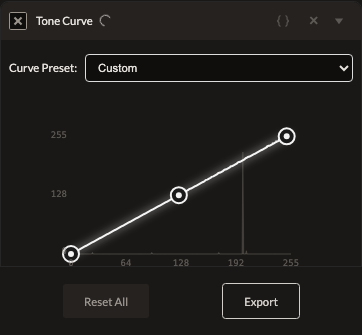
Tone Curve gives you a draggable curve across the full tonal range — the most precise, manual way to shape brightness and contrast, with independent control over the master luminance channel and each color channel.
Parameters
| Parameter | Type | Range | Default | What it does |
|---|---|---|---|---|
| Preset | enum | custom, flat, film, punchy, linear, shadowlift, standard | custom | Loads a starting curve shape onto the master channel. |
| Points | array of {x, y} | 0–255 on both axes, up to 5 points | none (identity) | The master/luminance curve. |
| Red / Green / Blue Points | array of {x, y} | 0–255 on both axes, up to 5 points | none (identity) | Independent per-channel curves. |
How it works
The curve is a Catmull-Rom spline through up to 5 points per channel, plotted on a 0–255 by 0–255 canvas with a histogram overlay for reference. An identity curve (no points dragged, or points lying exactly on the diagonal) is treated as a true no-op and isn't sent to the render pipeline at all.
Note: selecting a preset other than custom visually loads a curve shape, but only points you've actually dragged are applied to the render — presets are a starting visual reference on the master channel rather than an active adjustment by themselves. Drag at least one point to apply a real change.
See also
Levels covers the common black/white/gamma case with simpler controls.
Control preview
JSON structure
{
  "id": "tone-curve",
  "enabled": true,
  "params": {
    "preset": "custom",
    "points": "[]"
  }
}