Dehaze
Dehaze cuts through atmospheric haze for clearer, more contrasty results — or, run in reverse, adds haze for a softer, hazier look.
Parameters
| Parameter | Type | Range | Default | What it does |
|---|---|---|---|---|
| Amount | number | -100 to 100 | 0 | Positive removes haze, negative adds it. |
How it works
Positive amounts lift shadow blacks down and boost saturation slightly to cut through haze; negative amounts apply the inverse. This is an approximation built from curves and saturation adjustments rather than a true physical haze-removal model, so results are a stylistic contrast boost rather than a "see-through-the-mist" reconstruction.
See also
Adjustments includes the same Dehaze control alongside other tonal adjustments.
Control preview
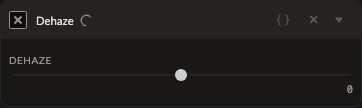
JSON structure
{
  "id": "dehaze",
  "enabled": true,
  "params": {
    "amount": 0
  }
}