Highlights/Shadows
Highlights/Shadows independently recovers detail in blown-out highlights or crushed shadows — the standalone version of the same recovery tools built into Adjustments.
Parameters
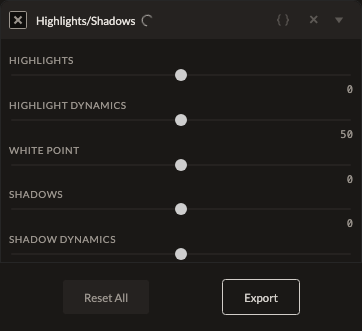
| Parameter | Type | Range | Default | What it does |
|---|---|---|---|---|
| Highlights | number | -100 to 100 | 0 | Recovers (negative) or boosts (positive) highlight detail. |
| Highlight Dynamics | number | 0 to 100 | 50 | Controls how far the Highlights recovery reaches into the tonal range. |
| Shadows | number | -100 to 100 | 0 | Recovers (positive) or crushes (negative) shadow detail. |
| Shadow Dynamics | number | 0 to 100 | 50 | Controls how far the Shadows recovery reaches into the tonal range. |
How it works
This filter runs early, in scene-linear space, before the tone-mapping boundary that converts to display-referred color — the same stage as Exposure. Recovering highlights and shadows before that conversion means the adjustment works on the full unclipped range captured by the sensor, giving cleaner recovery than adjusting after tone mapping would.
See also
Adjustments includes the same Highlights/Shadows controls alongside exposure, contrast, and more.
Control preview
JSON structure
{
  "id": "highlight-shadow",
  "enabled": true,
  "params": {
    "highlights": 0,
    "highlightDynamics": 50,
    "shadows": 0,
    "shadowDynamics": 50
  }
}