Color Balance
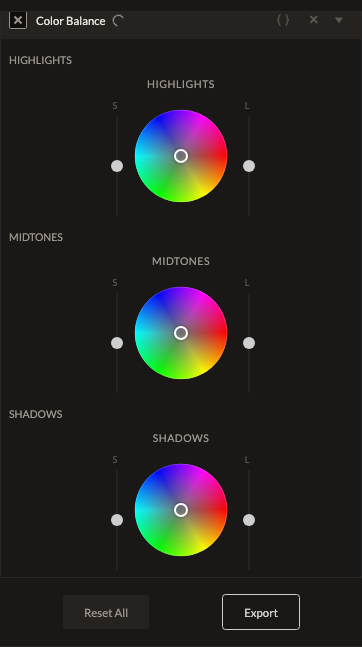
Color Balance gives you three independent color wheels — Shadows, Midtones, and Highlights — for grading each tonal zone separately. This is the core tool for a cinematic "teal and orange" look or any targeted color grade.
Parameters
Each of the three zones (Shadows, Midtones, Highlights) has the same three controls:
| Parameter | Type | Range | Default | What it does |
|---|---|---|---|---|
| Hue | number | -180° to 180° | 0° | The color pushed into that tonal zone, as a position on the color wheel. |
| Saturation | number | -100 to 100 | 0 | How strongly that zone's color push is applied. |
| Lightness | number | -100 to 100 | 0 | Brightens or darkens that tonal zone specifically. |
How it works
Each zone's Hue/Saturation is converted to an RGB color offset, weighted by how strongly a given pixel belongs to that tonal zone (a shadow-heavy pixel is affected mostly by the Shadows wheel, and so on), then all three zones are combined into a single pass. A classic "teal shadows, orange highlights" grade sets the Shadows wheel toward blue/teal and the Highlights wheel toward orange.
See also
Selective Color grades by hue range instead of tonal zone; Photo Filter applies a single, simpler overall color cast.
Control preview
JSON structure
{
  "id": "color-balance",
  "enabled": true,
  "params": {
    "shadowsHue": 0,
    "shadowsSaturation": 0,
    "shadowsLightness": 0,
    "midtonesHue": 0,
    "midtonesSaturation": 0,
    "midtonesLightness": 0,
    "highlightsHue": 0,
    "highlightsSaturation": 0,
    "highlightsLightness": 0
  }
}