Contrast
Contrast steepens or flattens the difference between shadows and highlights using an S-curve — positive values punch up the difference, negative values flatten it toward a single midtone gray.
Parameters
| Parameter | Type | Range | Default | What it does |
|---|---|---|---|---|
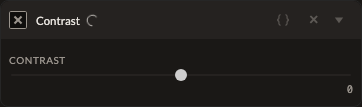
| Amount | number | -100 to 100 | 0 | S-curve strength. Positive increases contrast, negative reduces it. |
How it works
Contrast builds a normalized S-curve through five anchor points (black, quarter-tone, midtone, three-quarter-tone, white), pushing the quarter and three-quarter points away from (or toward) the midline based on the amount. This is the same math used by the Contrast slider inside Adjustments — use this standalone filter when you want contrast applied at a specific point in your filter stack rather than bundled with everything else.
See also
Levels and Tone Curve offer more precise, manual control over the same kind of tonal shaping.
Control preview
JSON structure
{
  "id": "contrast",
  "enabled": true,
  "params": {
    "amount": 0
  }
}