LUT
LUT applies an uploaded 3D lookup table (.cube file) for a specific, repeatable color-graded look — the same technology used in professional color grading for film and video.
Parameters
| Parameter | Type | Default | What it does |
|---|---|---|---|
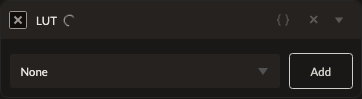
| LUT | reference | none | Which uploaded .cube LUT to apply. |
No other numeric parameters — all the grading is baked into the LUT file itself.
How it works
Upload a standard .cube LUT file (must declare its size and contain values in the normal 0–1 range) from the editor, then select it here. A LUT always applies last among the color filters in your stack, after Saturation, Vibrance, Color Balance, and the rest — so it grades the combined result of everything before it, matching how LUTs are used in professional grading workflows.
See also
Photo Filter and Color Balance for grading without needing an external LUT file.
Control preview
JSON structure
{
  "id": "lut",
  "enabled": true,
  "params": {
    "lutId": ""
  }
}